Stiple Labs Version 25.08
Streamlined Workflow with Command-Driven Experience
Refined Design Language
We have made things rounder throughout the platform. The rounded corners create a softer, more modern look that feels more approachable and reduces visual harshness. This creates better visual flow across all interface elements.
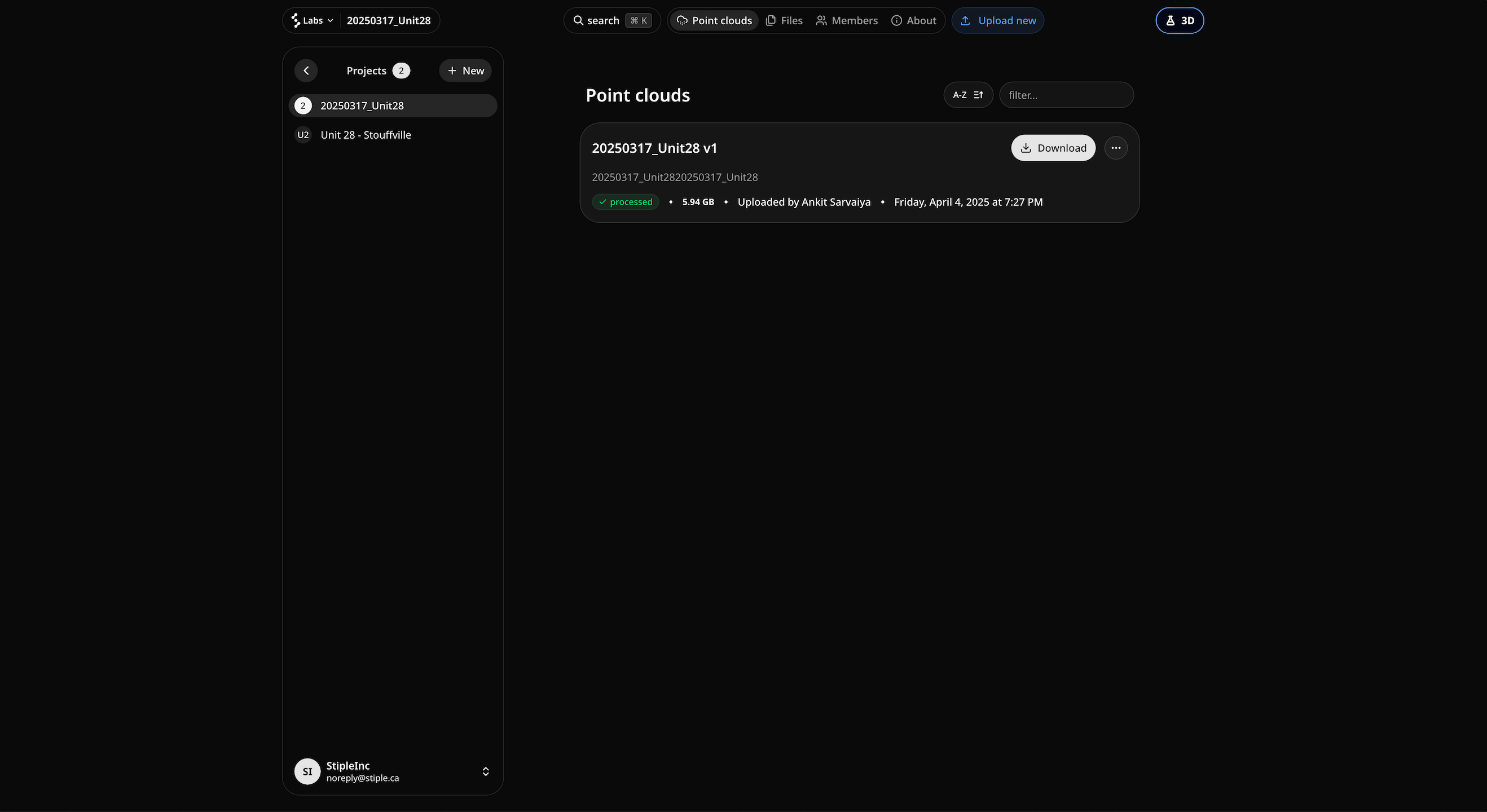 New design in v25.08
Updated Color Palette
We have updated the colors across the entire platform for better visibility and improved contrast. The new color scheme works harmoniously with the rounded design elements to create a more polished experience.
Command Box - Navigate Faster Than Ever
We have introduced a powerful command box that changes how you navigate Stiple Labs. Press Ctrl+K (or Cmd+K on Mac) and instantly access projects, point clouds, and files through a simple tabbed interface.
Three Tabs for Everything You Need
The command box opens with the Projects tab by default. You can switch to Point Clouds and Files tabs as needed. Each tab shows you the 5 best matches for whatever you search, making it easy to find what you're looking for.
Action Cards with Everything You Need
When you select something from the search results, we show you a card with the most useful actions:
For Projects:
- Open Project button to go to project management
- Lab 3D button to jump straight to the lab
For Point Clouds & Files:
- Download to save locally
- Edit to modify properties
- Delete to remove files
Redesigned Home Page
We have completely redesigned your home page. Instead of a sidebar with a list of projects and a map with project pins in the background, we have created a new dashboard approach.
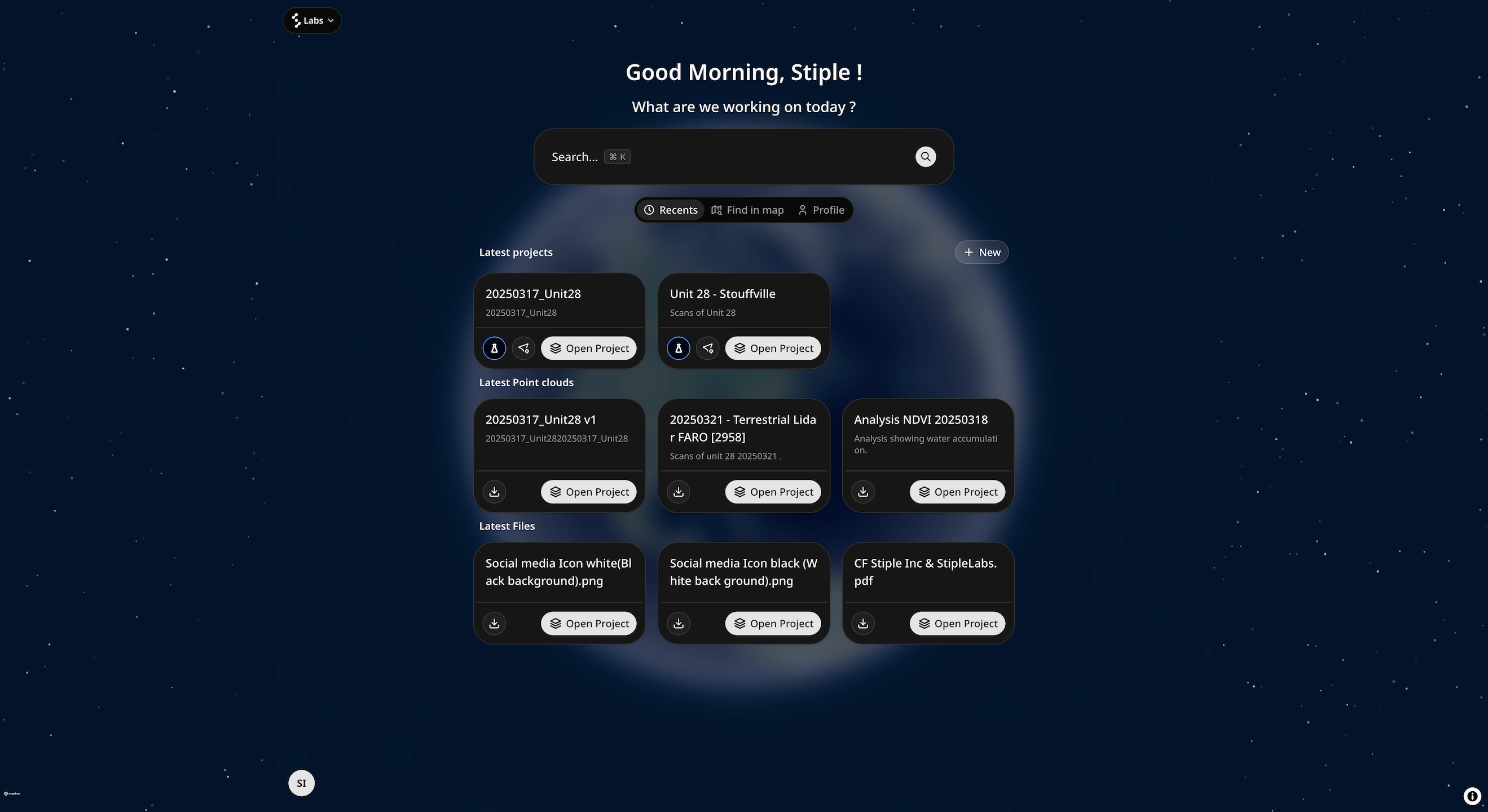 New Home in v25.08
Big Search Bar Front and Center
The new home features a big search bar at the top that triggers the command box. This makes search the main way to access your content, eliminating the need to hunt through menus.
Your Latest Items Are Already There
Below the search bar, your latest items are automatically displayed in clean grids:
- 3 latest projects
- 3 latest point clouds
- 3 latest files
Everything is laid out in clean grids that are easy to scan and click on, ready for you the moment you visit your home page.
Better Layout for Wider Screens
We have updated the layout so content doesn't stretch all the way to the edges of your screen anymore.
Content Stays Centered
Previously, content would use all available screen space. Now we use a maximum width constraint so on wider monitors, sidebars and content stay nicely centered instead of stretching to the screen edges. This makes everything easier to use and read, especially on ultrawide displays.
Performance Improvements
We have made some under the hood improvements resulting in faster load times across the app.